AlphaForge Documentation
AlphaForge is a local CLI for quantitative research that turns JSON-defined strategies into Pine Script v6 you can run on TradingView right away. Optuna TPE optimization plus walk-forward validation guards against overfitting, while strategy data, trade history, and API keys all stay on your own machine — from research to live execution (via TradingView) in a single pipeline.
This documentation walks through installation, strategy development, and integration with AI coding agents.
Using AlphaForge with an AI agent
Everything about driving AlphaForge from Claude Code / Codex / Cursor now lives in the AI Agent Integration section, which covers all three paths: bundled skills, the MCP server, and the non-interactive CLI. Start with the Agent Quickstart to try agent integration in about 10 minutes.
Two things that set AlphaForge apart
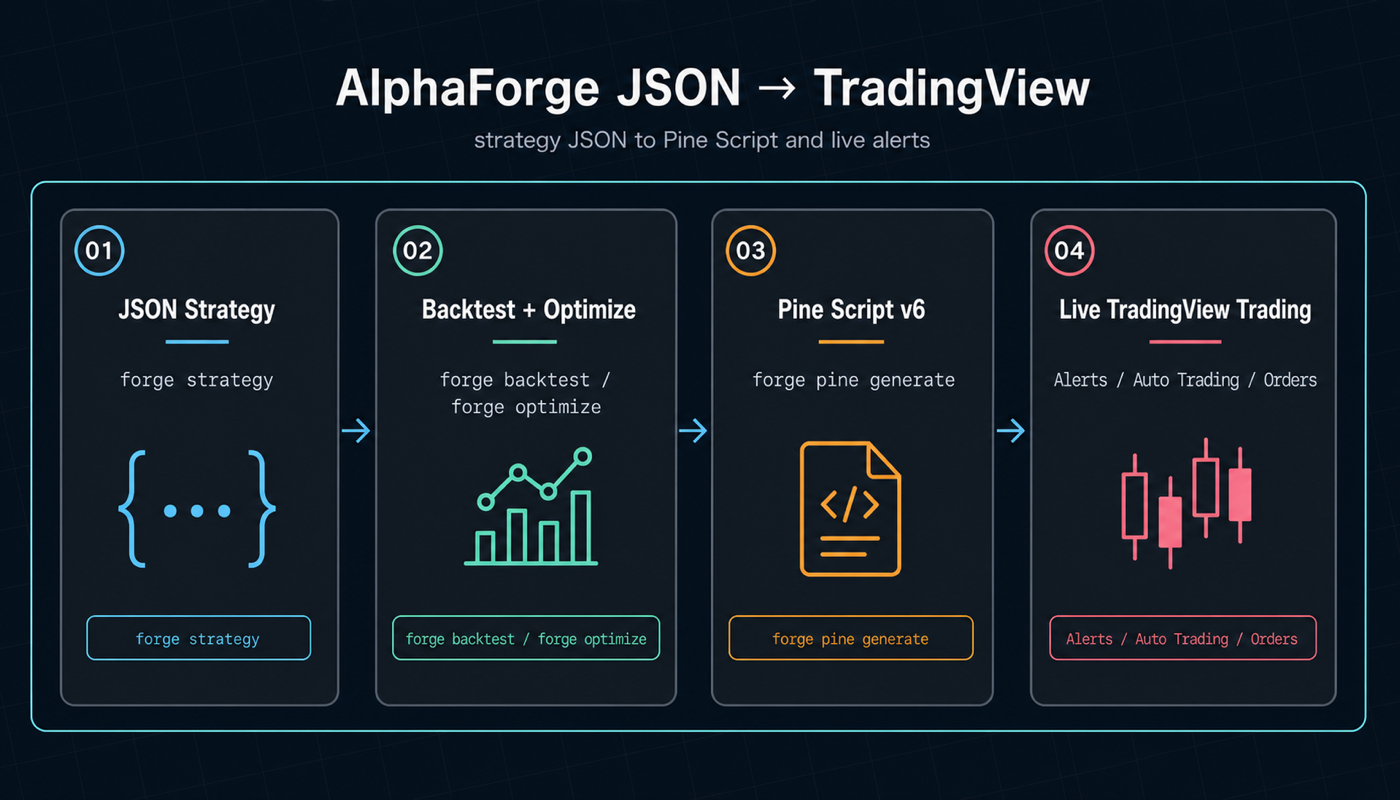
1. JSON strategy → one command → Pine Script v6 → live on TradingView
Write your strategy in JSON, then run alpha-forge pine generate to compile it into TradingView Pine Script v6. Unlike all-in-one Web UI platforms that lock you into a specific server and exchange adapters, AlphaForge lets you reuse your existing TradingView setup for alerts, automation, and chart visualization.
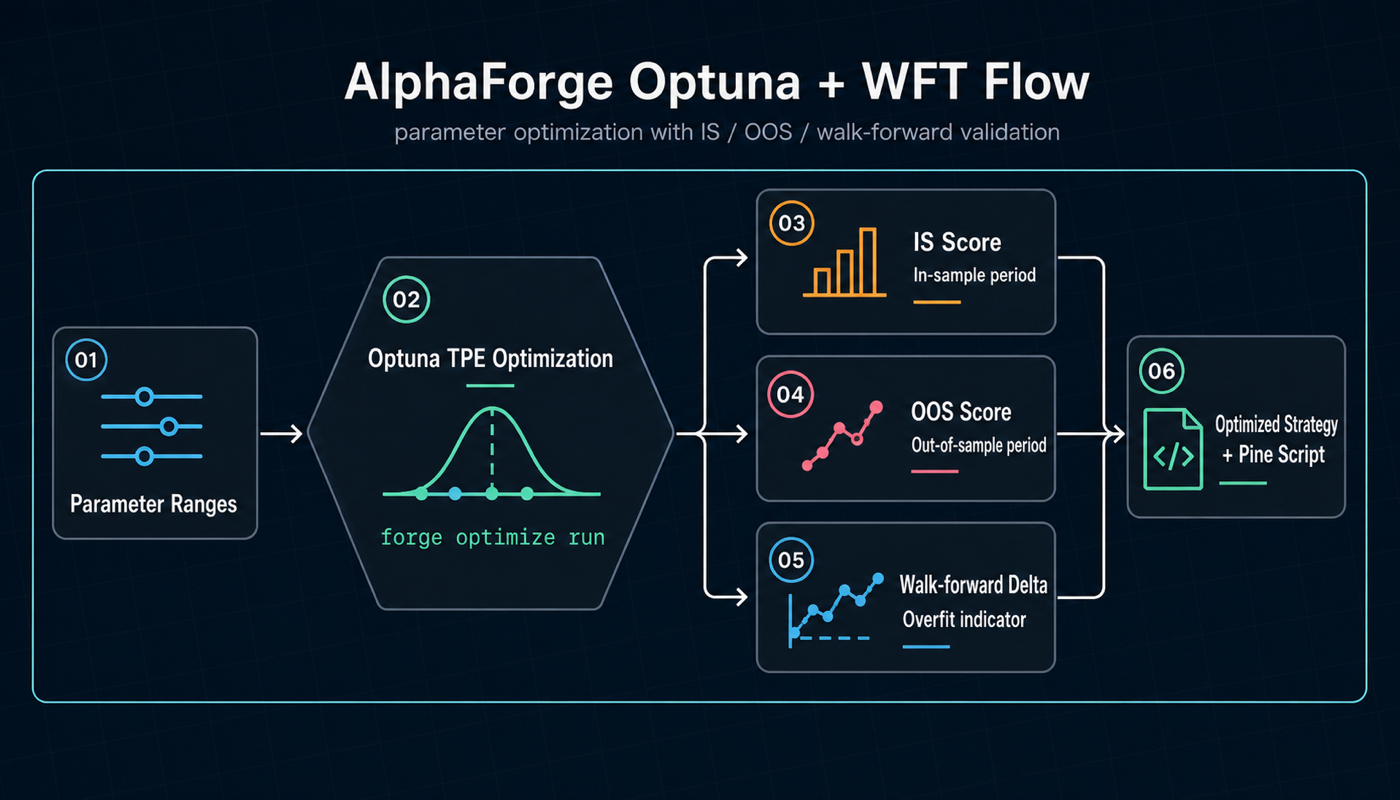
2. Optuna TPE + walk-forward validation to fight overfitting
alpha-forge optimize run triggers Optuna Bayesian optimization (TPE) out of the box, and --split adds walk-forward analysis (WFT) so you can compare in-sample vs out-of-sample performance in one step. This is the optimization and generalization layer that Web-UI-centric platforms typically lack.
How AlphaForge compares to other quant tools
| Dimension | AlphaForge | All-in-one Web UI platforms | Frameworks (vectorbt / Backtrader / …) |
|---|---|---|---|
| Strategy authoring | JSON DSL (easy to version-control) | Python classes inside a UI editor | Python classes |
| TradingView integration | Auto-generates Pine Script v6 | Typically none | Typically none |
| Built-in optimization | Optuna TPE + WFT as standard | Weak or manual | Possible by adding libraries |
| Data & keys location | Fully local | Server-resident | Local |
| Runtime form | Binary CLI (a single file, a few hundred MB) | Docker / SaaS stack | Python scripts |
| AI agent integration | Bundled skills + MCP server | Partial | Roll your own |
| Live execution path | Through TradingView (broker-neutral) | Direct exchange / broker | Roll your own |
Who this is for
- TradingView users who want trustworthy Pine Script backed by rigorous backtests and optimization
- Engineers and quant researchers looking for an alternative to Backtrader, vectorbt, and similar frameworks
- Developers who want to version-control strategies as code (JSON)
- Users who want to combine Claude Code, Codex, and other coding agents with AlphaForge to autonomously explore and optimize strategies
- People who want Bayesian optimization and walk-forward validation in a single command
Topics
- Getting Started — Installation, license activation, and your first backtest (10-minute Free-plan walkthrough included)
- Use Cases by Goal — Pick the most relevant next page based on your role (TradingView user / Python developer / Quant / Auto-trading / AI agent user)
- CLI Reference — Every
alpha-forgecommand with parameters and output examples - Strategy Templates — Combination strategies like HMM × BB × RSI with concrete JSON
- AI-Driven Strategy Exploration Workflow — A how-to for autonomous strategy development with Claude Code / Codex × AlphaForge (AI Agent Integration section)
- Legal & Disclaimers — Disclaimers, EULA, and Privacy Policy
Privacy — no telemetry
AlphaForge sends no telemetry — no usage statistics or behavioral logs — to any external party. Your strategy data, trading history, and API keys all stay local. The Software accesses the network only for user-initiated operations (data fetching / update checks via self version & self update / Whop license verification). See the Privacy and Telemetry section of the EULA for details.
Related links
- Alforge Labs official site — Product overview and install guide
- Tutorial — Build and run a strategy JSON
- GitHub Discussions — Community for questions, ideas, and strategy showcases
- Support — Technical inquiries