Automated Trading
For traders who want a complete end-to-end environment — from strategy development all the way to live order execution.
End-to-End System Architecture
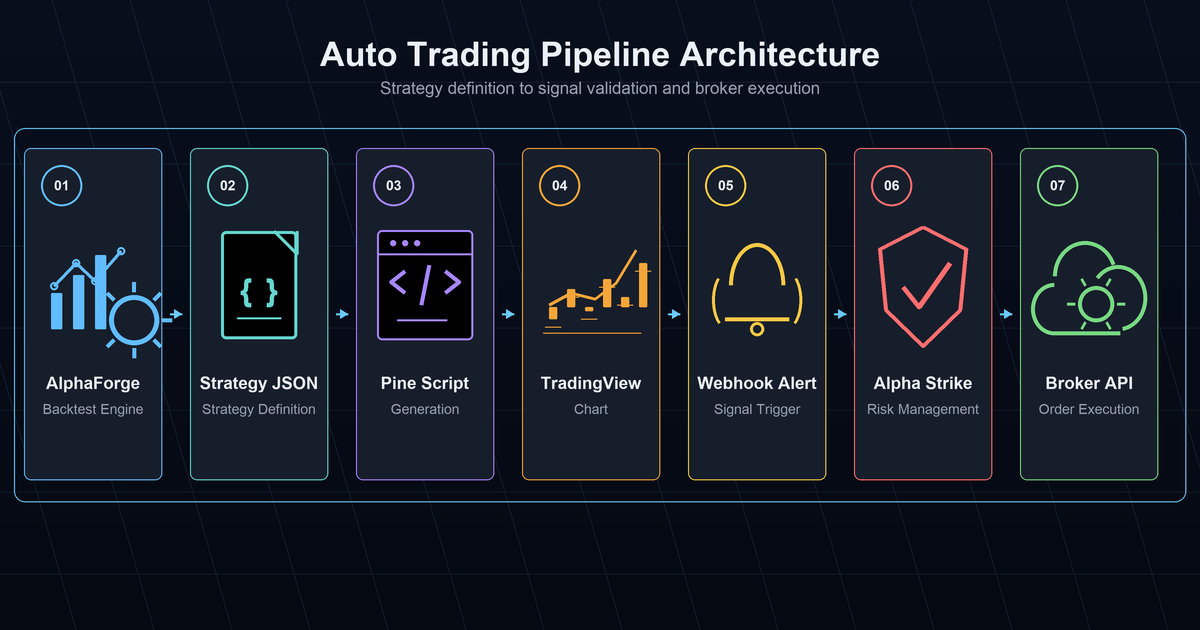
AlphaForge (strategy development & validation)
      ↓  Pine Script generation
TradingView (alert triggering)
      ↓  Webhook
Alpha Strike (order processing)
      ↓
Broker API (actual orders)
Role of Each Component
| Component | Role |
|---|---|
| AlphaForge | Strategy backtesting, optimization, walk-forward validation |
| Pine Script | Real-time signal generation in TradingView |
| TradingView Alert | Fires webhook when signal triggers |
| Alpha Strike | Receives webhook and submits orders to broker API |
Pre-Production Checklist
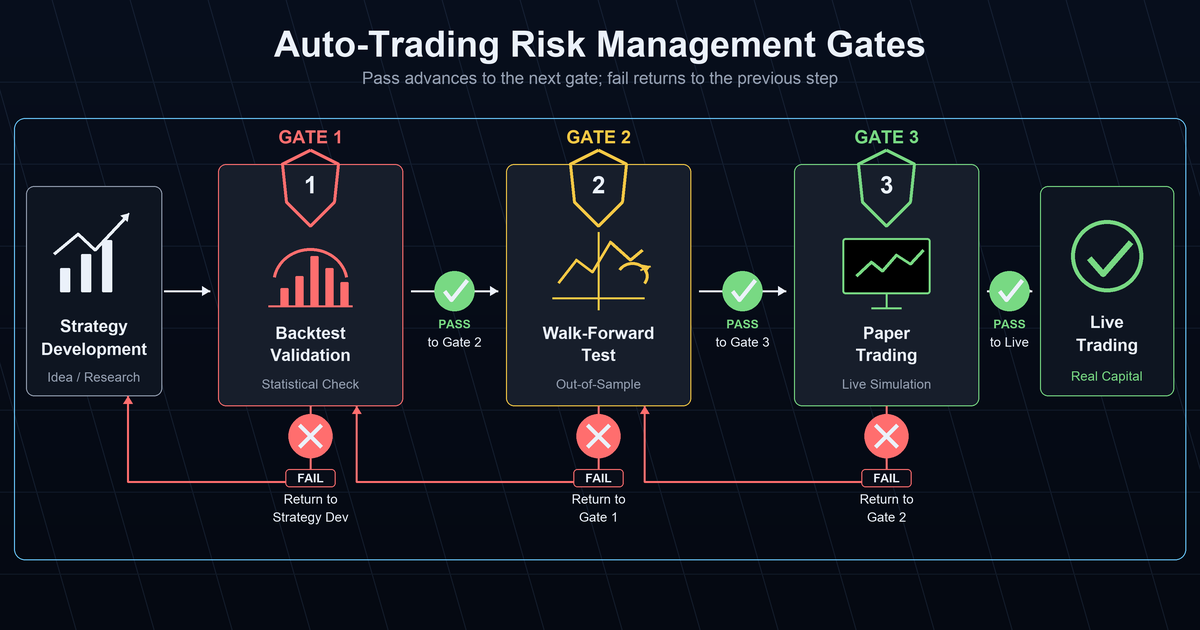
Verify Before Going Live
- [ ] IS/OOS degradation rate within acceptable range (guideline: below 50%) in walk-forward validation
- [ ] Maximum drawdown is within your risk tolerance
- [ ] Risk management settings for margin and position sizing confirmed
- [ ] Complete a paper trading period with small size first
Getting Started
# 1. Finalize strategy via backtesting
alpha-forge backtest run QQQ --strategy my_strategy

# 2. Generate Pine Script
alpha-forge pine generate --strategy my_strategy

# 3. Import to TradingView and configure alerts
# (done in TradingView UI)

# 4. Test order execution via Alpha Strike
# (see Alpha Strike setup guide)
Related Docs
- TradingView × Alpha Strike Integration Guide — Connecting webhooks to order execution
- TradingView × Pine Script Integration Guide — Pine Script generation and adjustment
- End-to-End Strategy Development Workflow — Full pipeline overview
- Trial Limits — What's available on the Trial plan